How to duplicate a survey
If you want to re-run a survey, you can duplicate the existing one to save time. You can duplicate any survey regardless of status: Draft, Pending, Active or Closed. The copy is always created as a draft, so nothing is sent to anybody until you publish it.
When you duplicate a survey, it copies the questions, communications, demographics and skip logic from the original survey. This means you only need to set the survey name and dates, and add your participants.
To duplicate a survey:
- Go to My surveys and find the survey you want to duplicate.
-
Select the three dots on the survey card to open the menu, then select Duplicate.

-
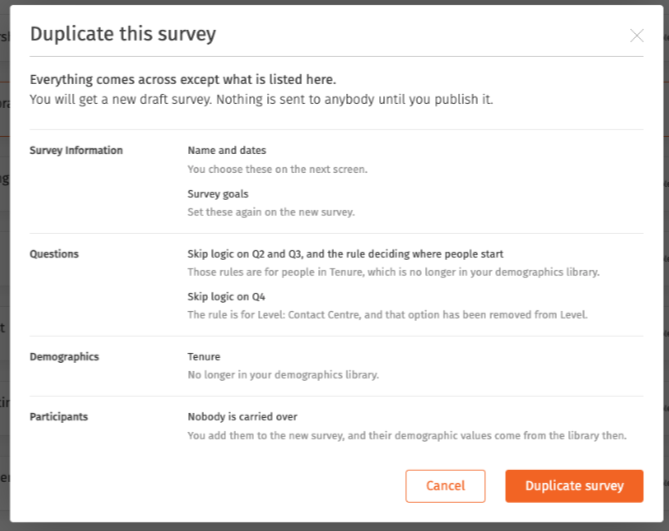
A window opens showing what the copy will not carry, and which step of the new survey you will need to fill it in on. Read it, then select Duplicate survey to make the copy, or Cancel to go back. Nothing is created until you select Duplicate survey.
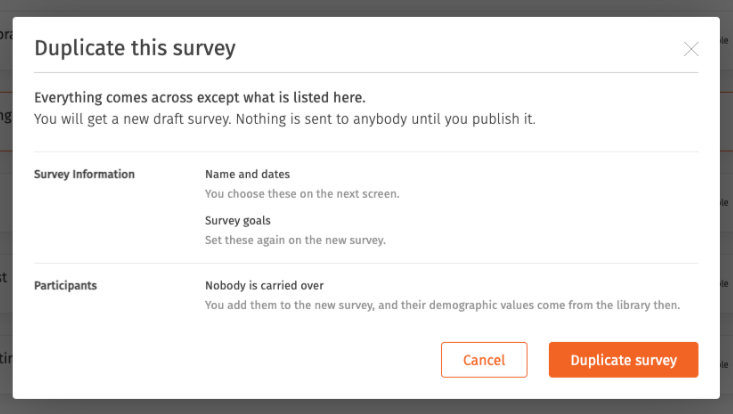
- Walk through each step of the new survey and fill in what the copy could not carry: the survey name and dates, your participants, and anything else the window listed. Also take a moment to confirm that what did copy over is still right for the new survey. For example, you may want to make small changes to the survey name or communications.

What comes across, and what does not
Comes across: your questions and their order, your communications, the survey's demographics, and all of its skip logic, including rules based on a participant's demographics.
Does not come across:
- The survey name and dates. You set these on the new survey.
- Survey goals. Set these again on the new survey.
- Participants. Nobody is carried over. You add them to the new survey, and their demographic values are taken from your demographics library at that point.
- A demographic that is no longer in your demographics library. The copy takes its demographics from the library as it is today, so anything retired since the original survey was built is left behind.
- A skip logic rule that relies on a demographic, or a demographic option, that is no longer in your library. The rule has nothing to point at, so it is not copied.
The window that opens before you duplicate lists exactly which of these apply to the survey you are copying, so you do not have to work it out yourself.